
USE CASES · ONE PHOTO, MANY POSSIBILITIES

Make a profile photo
that feels like you.

From a professional first impression to a creative online identity. Discover what you can make with ProfileAI.

THE CREATIVE PROCESS

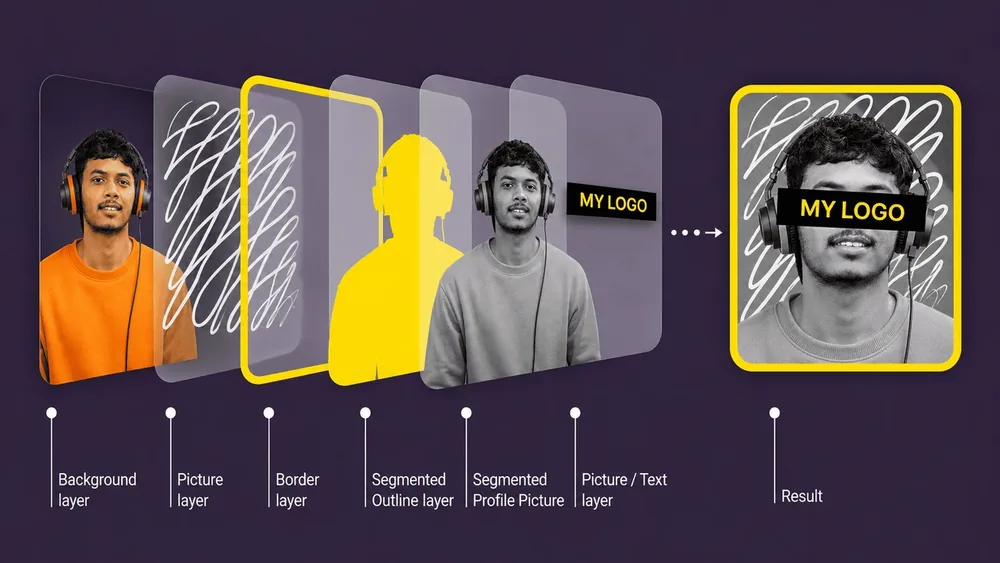
Build a PFP, layer by layer.

See how every detail comes together.

Original ProfileAI template previewCreate PFP template
FIND YOUR STYLE

Where will your photo go?

Choose a use case and go straight to the right editor or profile guide.

01 · INSTANT PROFILE MAKER

One upload.
More ways to stand out.

Remove your background, explore the template library and choose a style that works for your platform. The same portrait can have an entirely different feel with a new background or frame.

Explore templates
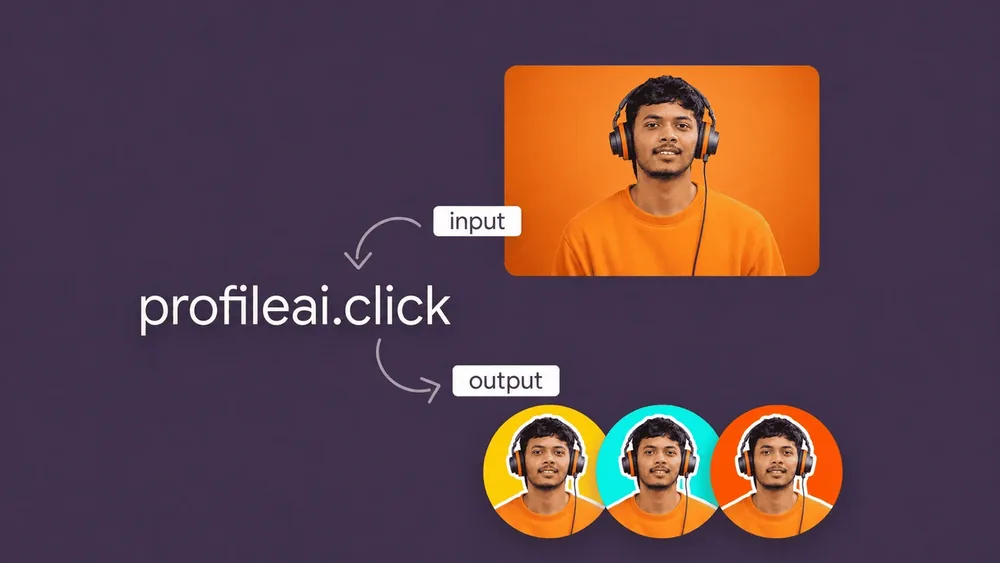
ProfileAI example showing the profile picture creation workflow
02 · ADVANCED PHOTO STUDIO

Take creative control.

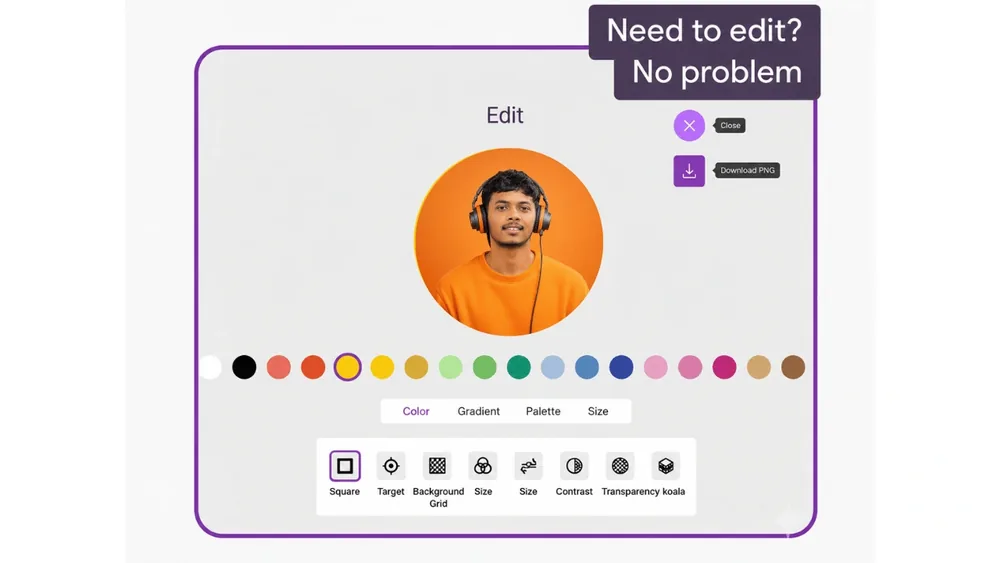
Refine the crop, adjust colors and light, replace a background or retouch your portrait. Export in a format and size that suits your project.

AdjustBackdropCutout
Explore Photo Studio
ProfileAI editing controls preview
FROM PHOTO TO PROFILE

Four simple steps.

01

Upload

Choose a clear portrait.

02

Remove background

Let AI separate the subject.

03

Make it yours

Choose a template or edit in Studio.

04

Export

Download for your chosen platform.

Your next profile starts here.

Free profile maker. Advanced editing when you want more control.